(2-minute read)
An increasingly common question that I get asked by patients is what’s the best desk set-up to avoid back pain in Bristol offices, retail parks and home-working micro offices.
Poor posture and sitting position at a desk can lead to significant issues, including back pain, stiffness, eye strain, headaches, neck pain, shoulder pain, brain fog and poor levels of concentration and productivity.
There are some simple techniques to help prevent this, as well as focusing on the right equipment for your desk set-up, to help avoid back pain when working in Bristol.
How does a poor desk setup cause back pain?
Spending long, uninterrupted hours at a desk with poor posture places strain on the spine, neck and shoulders.
A poorly designed workstation forces the body into unnatural positions, which can lead to muscle tension, spinal stress and chronic back pain.
What’s the best desk set-up to avoid back pain?
The main elements to consider are the type of chair, desk position, computer or laptop position, desk height, and eye level with the computer or laptop. This includes:
Ergonomic desk chair
The foundation of a back-friendly workstation is a high-quality ergonomic chair. One that helps your body to curve in the right places, while also getting the right muscles engaged.
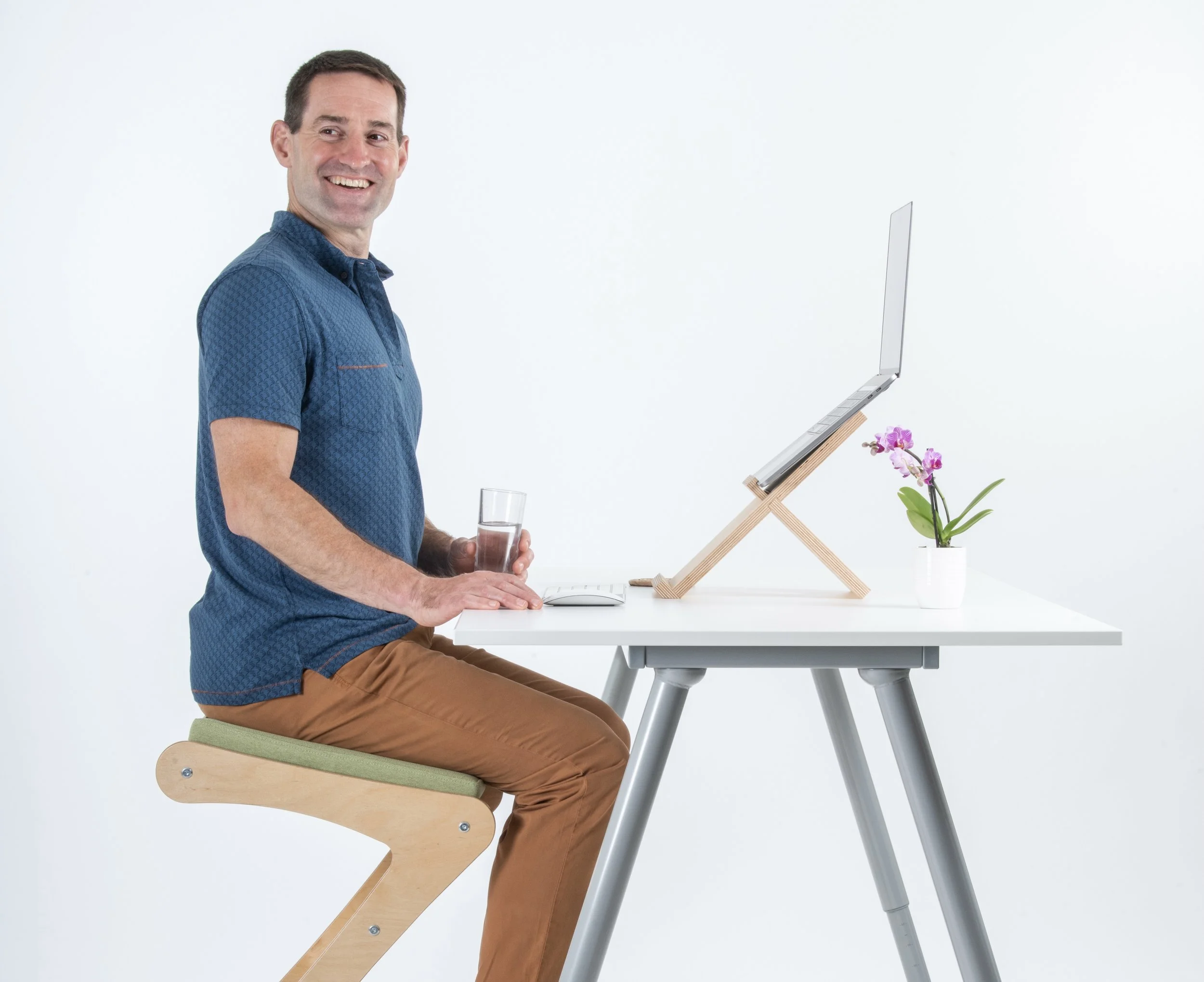
A good desk chair will put the body in a natural position, with arms and head in a neutral position, as well as maintaining eye level at the same height as the top of the computer.
I have designed and launched a healthy, effective ergonomic desk chair - find out more here.
Correct monitor position
The correct monitor position is vital when it comes to maintaining good posture. The monitor should be an arm’s length away to prevent neck strain, eye strain, and to give a natural position for the head.
If using a laptop, I recommend using a laptop stand with an external keyboard and mouse for improved ergonomics. This will also help to avoid back pain when working in Bristol.
Keep your desk clutter-free
Frequently used items should be easily within reach to prevent excessive twisting or stretching. A clutter-free workspace also gives better focus and productivity.
A good and healthy desk option is an adjustable desk, allowing you to break up sitting with spells of standing. I say ‘sit well, move more’.
Regular movement breaks
I am a huge advocate of micro breaks. Getting up, moving, walking and stretching every 30 minutes without fail. It relieves muscle tension, improves flexibility and reduces eye strain.
Find out more about the benefits of micro breaks here.
Hydrate often
Sipping on water little and often is critical when it comes to keeping the muscles and joints lubricated, the brain supplied with water, and encouraging better blood flow at a desk.
There are some common sitting myths - find out more here.
For a consultation with me for back pain treatment in Bristol, please book here.